Countdown Timer
An embeddable, iframe-friendly countdown widget. Everything is configured through URL query parameters — there is no build step or account needed to use it.
Embedding it
The widget fills whatever iframe box you give it, at a fixed 8:5 aspect ratio — like an embedded video, it scales up or down and letterboxes rather than distorting. Point an iframe at this widget's URL with your chosen parameters, sized close to an 8:5 ratio (e.g. 800×500, 1600×1000):
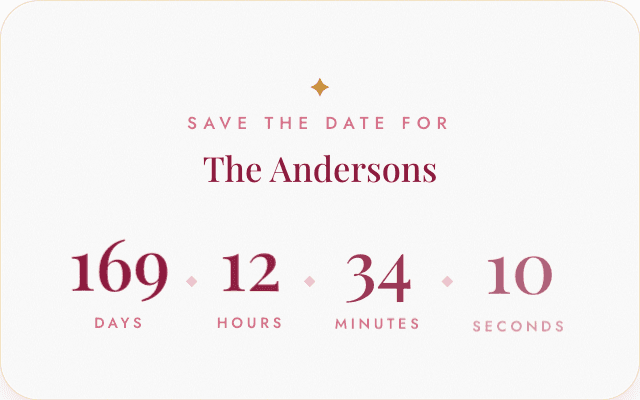
https://your-deployment.example.com/countdown-timer?date=2026-12-25&theme=gallery&heading=The%20AndersonsThe background is transparent by default, so the widget blends into whatever canvas or page it's dropped onto. If your embed frame doesn't match the 8:5 ratio, the widget centers itself and leaves the extra space on whichever axis is oversized — that margin is part of what gets captured on export or screenshot, so it's worth sizing the frame close to 8:5 for a tight fit.
Query parameters
| Param | Example | Default | Description |
|---|---|---|---|
| date | ?date=2026-12-25 | (none) | The wedding date, as YYYY-MM-DD, parsed at local midnight in each viewer's timezone. Required — without it the widget shows a setup hint instead of a countdown. |
| theme | ?theme=gallery | classic | Visual style. See the theme pages below for what each one looks like. |
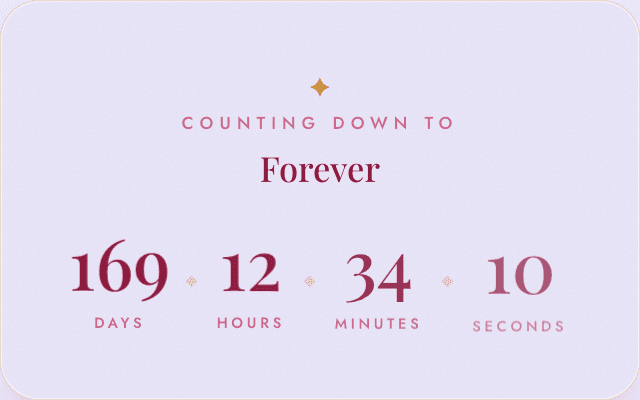
| heading | ?heading=The%20Andersons | Forever | The large title text under the eyebrow label. |
| eyebrow | ?eyebrow=Save%20The%20Date%20For | Counting Down To | The small uppercase label shown above the heading. |
| bg | ?bg=%23ede9fe | transparent | Page background color behind the card — any valid CSS color (hex, rgb(), hsl(), or a named color). Leave unset to stay transparent, which is what you want for most embeds (e.g. dropping it onto a Canva canvas). |
Themes
Each theme has its own page with screenshots and notes on that style's specific look.
Custom heading and background
heading/eyebrow and bg work the same way regardless of theme: